
How to Organize Your Digital Workspace for Maximum Efficiency
Reduce friction, focus on work that matters
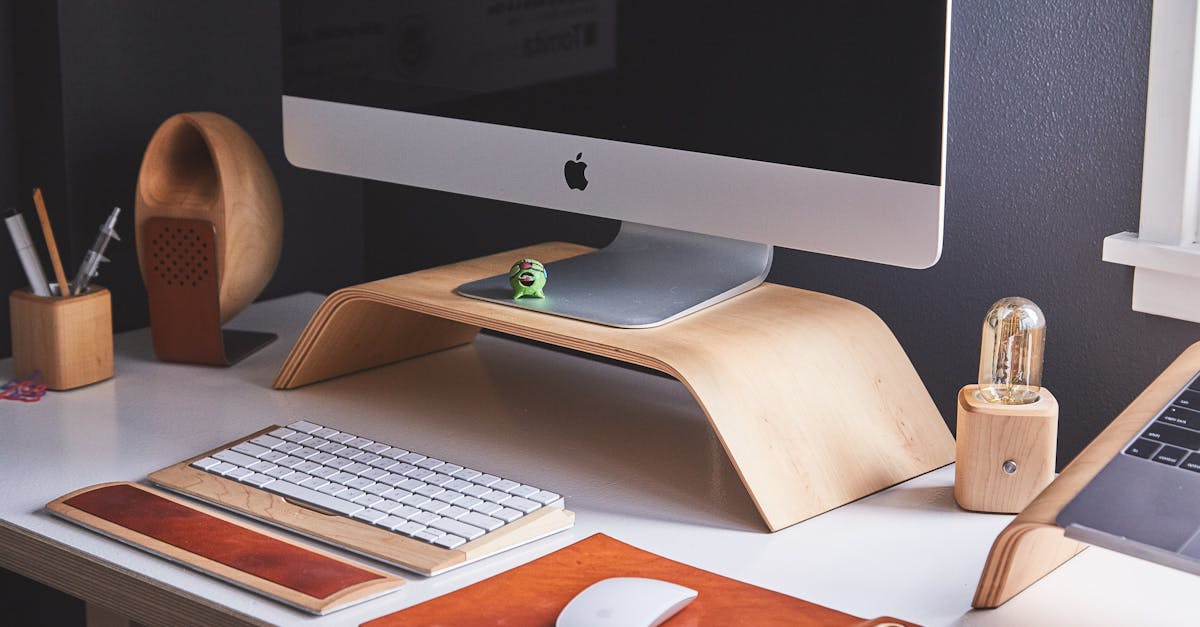
Your tools, files, and windows shape how you work. A cluttered digital workspace increases friction and steals time when you switch tasks or search for items.
Organizing your workspace reduces interruptions and makes it easier to start and finish work. The goal is a predictable environment that supports the type of work you do most.
Define one primary workflow for each role
Most people juggle a few roles: deep work, meetings, and quick tasks. Create a simple workflow for each role so you know which apps and files to open for the job at hand.
For example, keep one workspace for focused writing with a single editor and reference files. Use a separate window or virtual desktop for email and short tasks to avoid context switching.
Limit active apps to reduce cognitive load
Running many apps at once increases distractions and slows your computer. Keep only the applications you need for the current workflow open.
If you use a task manager like Todoist, keep it available for small tasks but close or minimize it during focused sessions. Closing unnecessary tabs and apps speeds up your mental context and your machine.
Organize files around outcomes, not tools
Store files by project or outcome rather than by file type. A single project folder simplifies searches and reduces duplicate copies across drives.
For shared documents use a consistent naming convention and a central folder. This reduces confusion about the latest draft and where to save work.
Use simple, repeatable naming and tagging
Pick a short naming pattern and stick with it. Include project name, date (YYYY-MM-DD), and a brief descriptor to make sorting and finding easy.
Tags or labels can help when a file belongs to multiple contexts. Use them sparingly so the system remains practical rather than another source of clutter.
Choose one place for notes and reference material
Notes scatter quickly when you use many apps. Pick a single place for reference notes and lightweight planning. A flexible workspace like Notion can hold templates, checklists, and quick references in one place.
Reserve ephemeral notes for short-term items and move enduring information into your main notes system. This keeps your long-term reference clean and searchable.
Make inboxes predictable with rules and cadence
Inboxes—email, chat, or ticket systems—become disruptive when checked continuously. Create simple rules to route messages and set fixed times to process them.
Use filters, folders, or labels to separate urgent items from low-priority ones. Process messages in short, scheduled sessions to reduce the urge to interrupt deep work.
Keep a one-page dashboard for daily priorities
A single dashboard with 3–5 priorities prevents your day from filling with low-value tasks. Make the dashboard visible at the start of each day so decisions are clear.
Include deadlines and time estimates. When new tasks arrive, compare them to the dashboard before committing time.
Automate routine work, but keep control
Automate repetitive steps like file backups, calendar invites, or routine report exports. Small automations save time and reduce manual errors.
Keep automations simple and documented. If something breaks, you want to diagnose and fix it quickly without hunting through opaque scripts.
Manage windows and virtual desktops
Use virtual desktops or multiple monitors to separate contexts: one for communication, another for deep work, and one for reference materials. This reduces visual noise and accidental task switching.
Create a habit of returning to a default layout at the end of the day. That makes it easier to resume work the next morning and keeps your system predictable.
Review and prune weekly
Spend 20–30 minutes each week cleaning folder structures, closing stale tabs, and archiving finished projects. Regular maintenance prevents small issues from becoming unmanageable.
While doing the review, remove tools you no longer use and simplify redundant workflows. A lighter toolkit is easier to keep organized over time.
Choose tools that match your needs, not trends
Pick tools that solve your real problems and fit how you work. Avoid moving everything to the newest app unless it clearly reduces your daily friction.
Evaluate tools on reliability, integration with your key apps, and how much setup they require. Simple wins over feature-rich when the setup cost outweighs the benefit.
Short checklist to start today
Close unused apps and tabs now.
Identify one place for notes and one for tasks.
Create a three-item daily dashboard.
Set two fixed times to process inboxes.
Schedule a 30-minute weekly tidy session.
These steps are small but compound. A predictable digital workspace reduces wasted time and helps you focus on the work that matters.
Read More
Read more articles on the topics that interest you

What Is Retrieval-Augmented Generation (RAG), and Why Does It Matter?
How RAG connects AI models to external information

How to Enter a High-Demand Career Without a University Degree
Concrete routes, from bootcamps to apprenticeships that lead to paid roles in tech and trades

South Africa's Hottest Careers for 2026
Where demand, pay, and training align for the next hiring cycle across key sectors
15 Jobs That AI Won't Replace Anytime Soon
Specific occupations where judgment, touch and trust keep humans essential for years

Best Trading Apps in South Africa
Compare fees, order types, and investor fit to pick the right platform

How I Use AI to Increase Productivity
A practical, measurable method for saving hours each month using small AI experiments